
Smart Audio Switcher
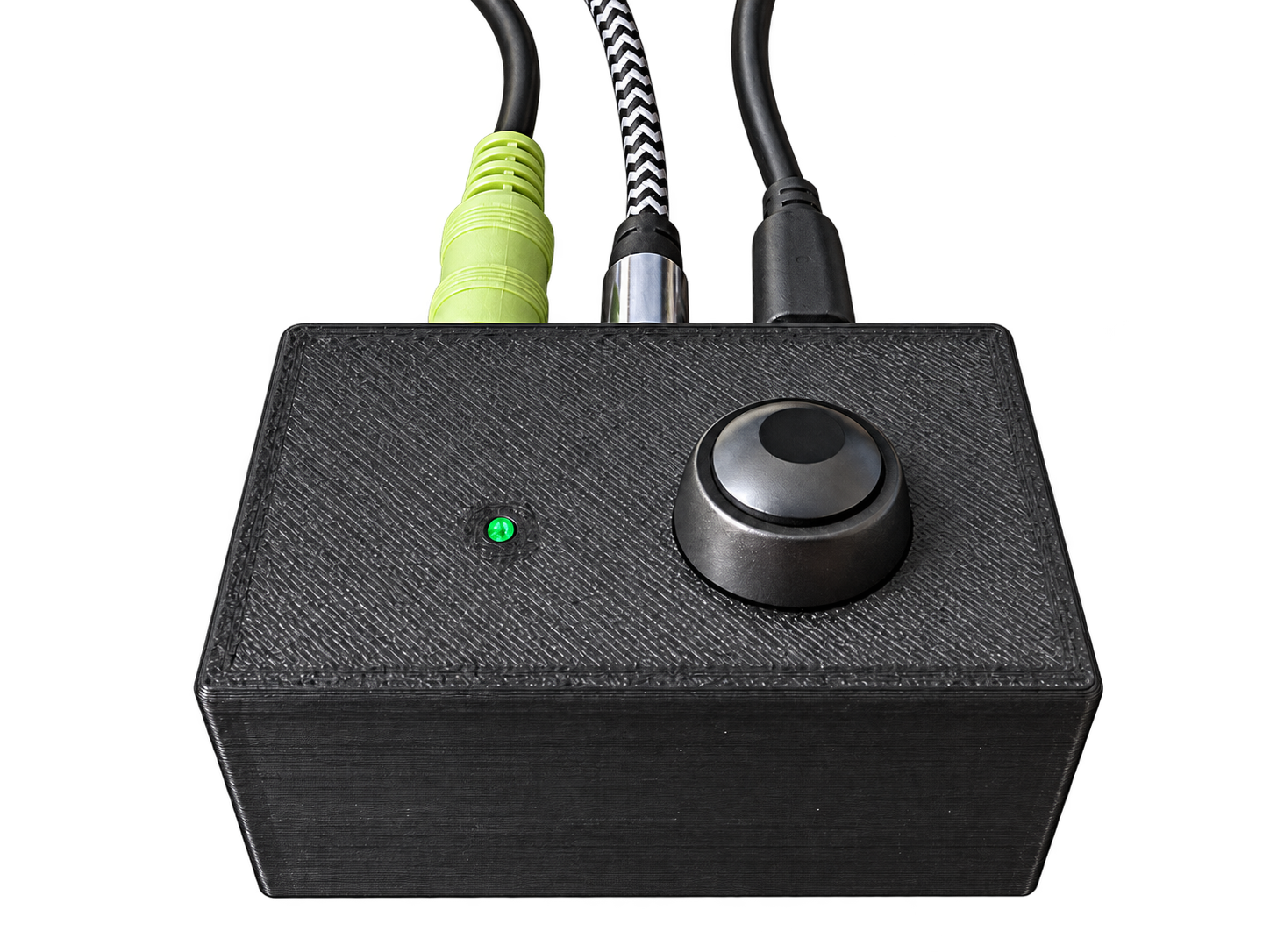
After moving into a new apartment earlier this year, I decided to get rid of my TV and use my work monitor instead. The monitor, a 43" Dell U4320Q, was roughly the same size as my TV, and since my desk sits directly in front of my bed, it seemed like a better setup than having a separate TV off to the side.
My desk is also an electric standing desk, so when I want to watch TV, I can simply raise the monitor to a more comfortable viewing height.
There was one problem with this setup: audio.
The monitor's built-in speakers aren't great, and I already have a set of computer speakers that sound much better. I wanted both my computer and the monitor to use those same speakers without constantly unplugging and reconnecting 3.5 mm audio cables.
There are plenty of off-the-shelf audio switchers that solve this problem, but most of them still require you to physically press a button or turn a knob to change inputs. I'm lazy, and if I'm already in bed watching TV, I don't particularly want to get back up just to switch the audio source.
So, naturally, I made the problem more complicated.
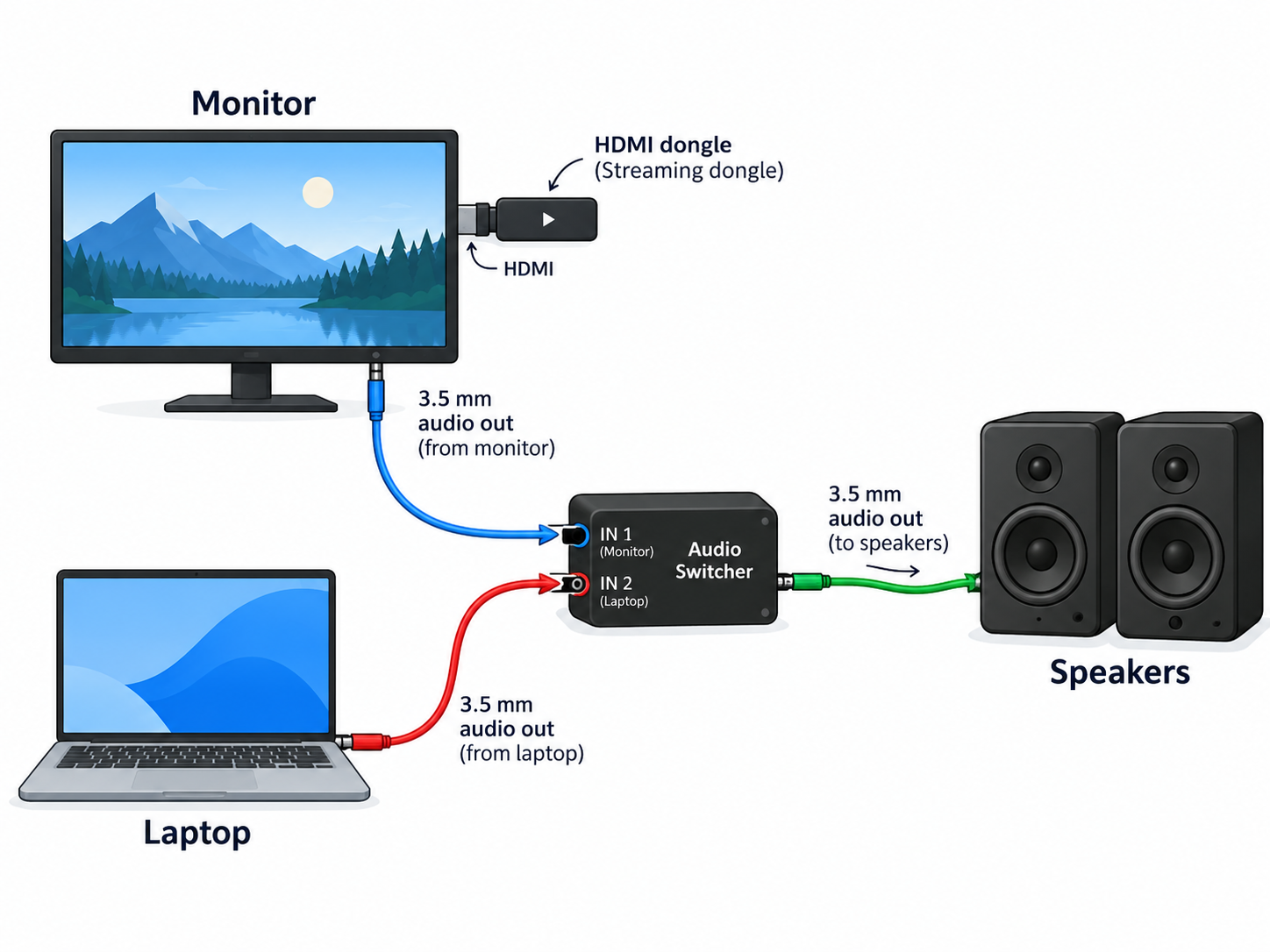
I built a smart audio switcher using an ESP32 D1 Mini running ESPHome. The switcher has two audio inputs—my PC and the monitor—and a single output connected to my computer speakers. The ESP32 controls which audio source is routed to the speakers and exposes that control to Home Assistant.
During the day, while I'm working at my desk, the switcher stays on the PC input. If I want to watch TV from bed, I can switch it over to the monitor without touching any cables.
Of course, apparently even that required too much effort.
Since I use a Chromecast connected to the monitor for watching TV, I added a Home Assistant automation that detects when the Chromecast begins playing and automatically switches the audio input to the monitor. When I'm sitting at the desk, there's also a physical button on the switcher that lets me toggle the input manually.
The end result is a simple little box that lets my PC and Chromecast share the same speakers, while still giving me both physical and smart-home control over which device I'm listening to.
The Flow
How things are connected.
The Design
From the start, I knew I wanted the switcher to be a relatively small box that could sit neatly on my desk. It needed a physical button, three 3.5 mm audio jacks, a power input, and some kind of indicator to show which input was currently selected.
Since I already use Home Assistant and ESPHome throughout my setup, using an ESP32 felt like the most natural approach. The basic plan was to 3D print an enclosure for everything, flash an ESP32 D1 Mini with ESPHome, and expose the controls to Home Assistant.
For the actual audio switching, I used a TS5A23157 analog audio switch. This handles selecting between the two stereo audio inputs and routing the active source to the output.
For status indication, I used a WS2812 addressable LED that I pulled from an old LED strip I had lying around. The LED changes color depending on which input is selected. I also added a simple momentary push button so the source can still be switched manually without opening Home Assistant.
That gave me the core pieces I needed: smart control, manual control, visual feedback, and a compact enclosure that could stay on the desk without taking up much space.
You can find the STL for the print on Thingiverse (here).
Wiring
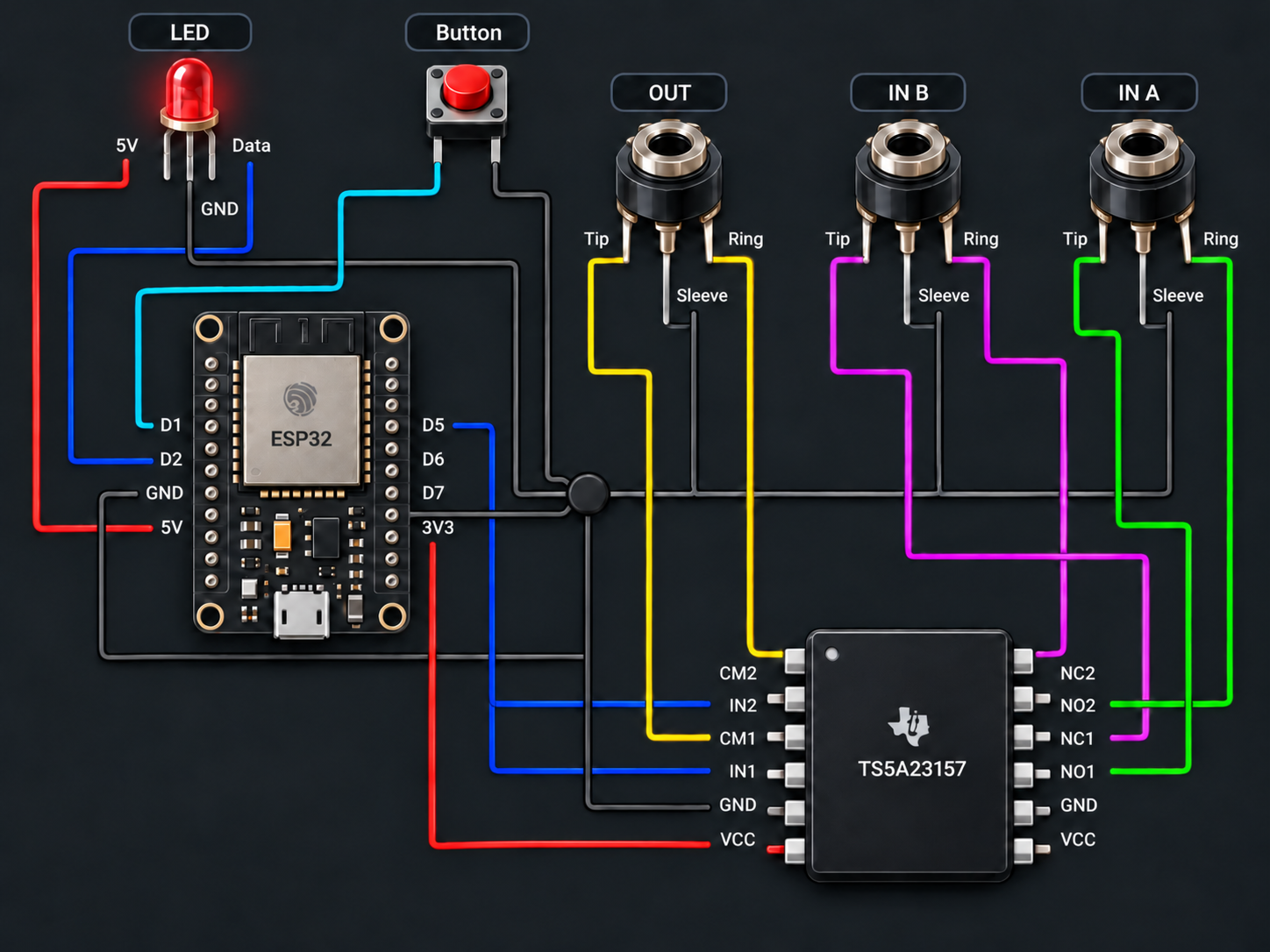
Unfortunately, I did not take many pictures along the way but I do have some pictures of the finished wiring in the case.
Gallery
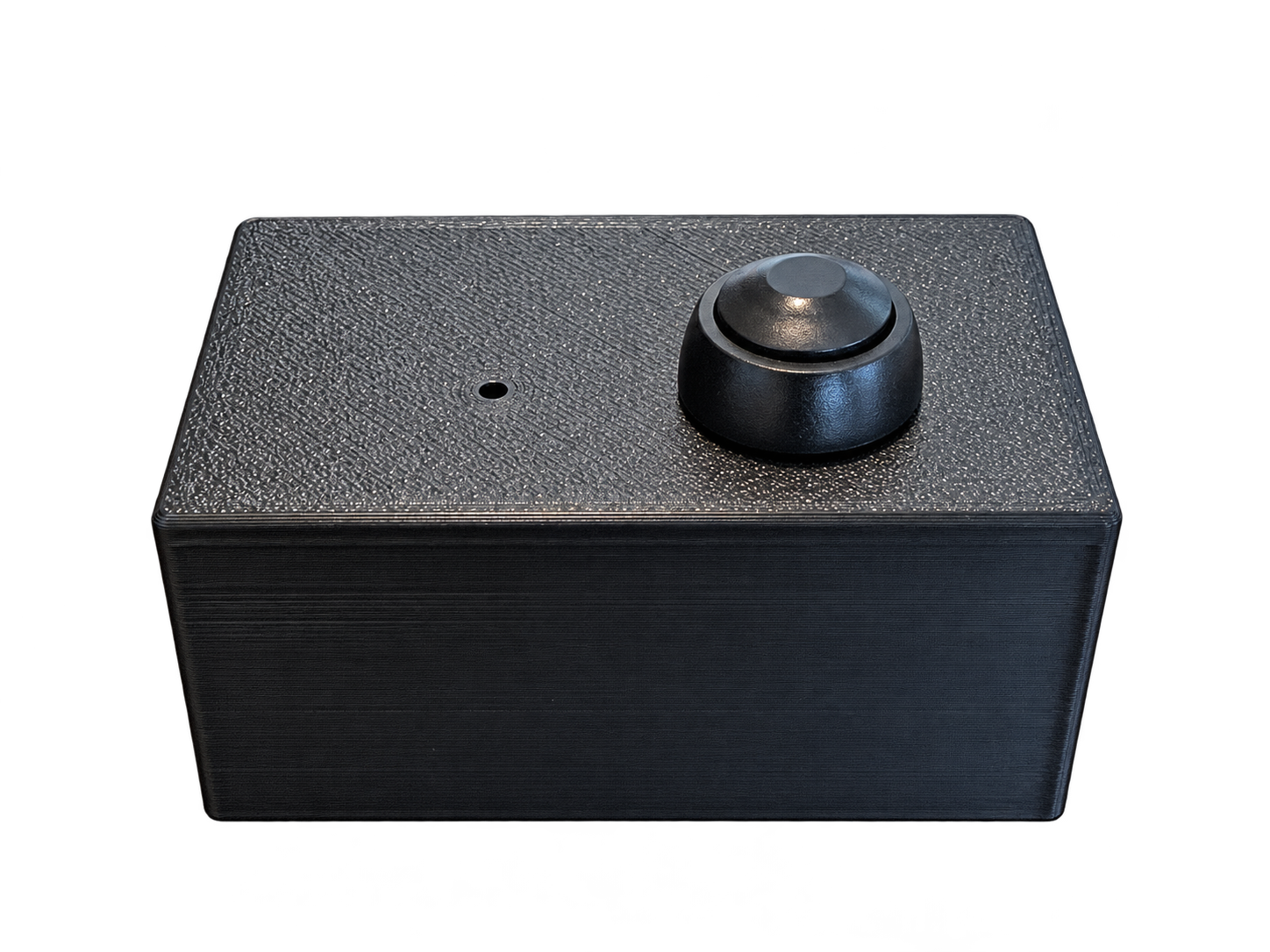
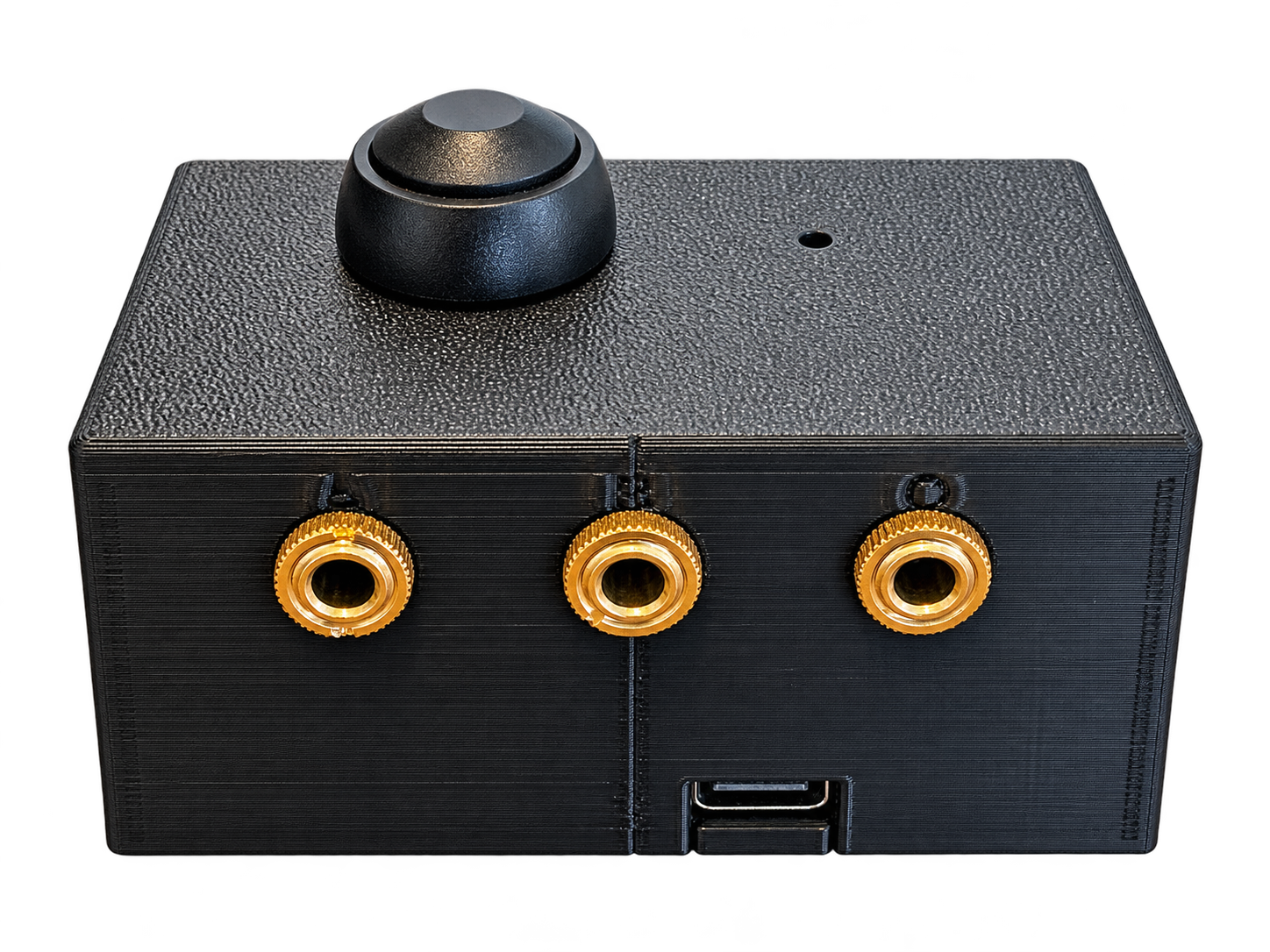
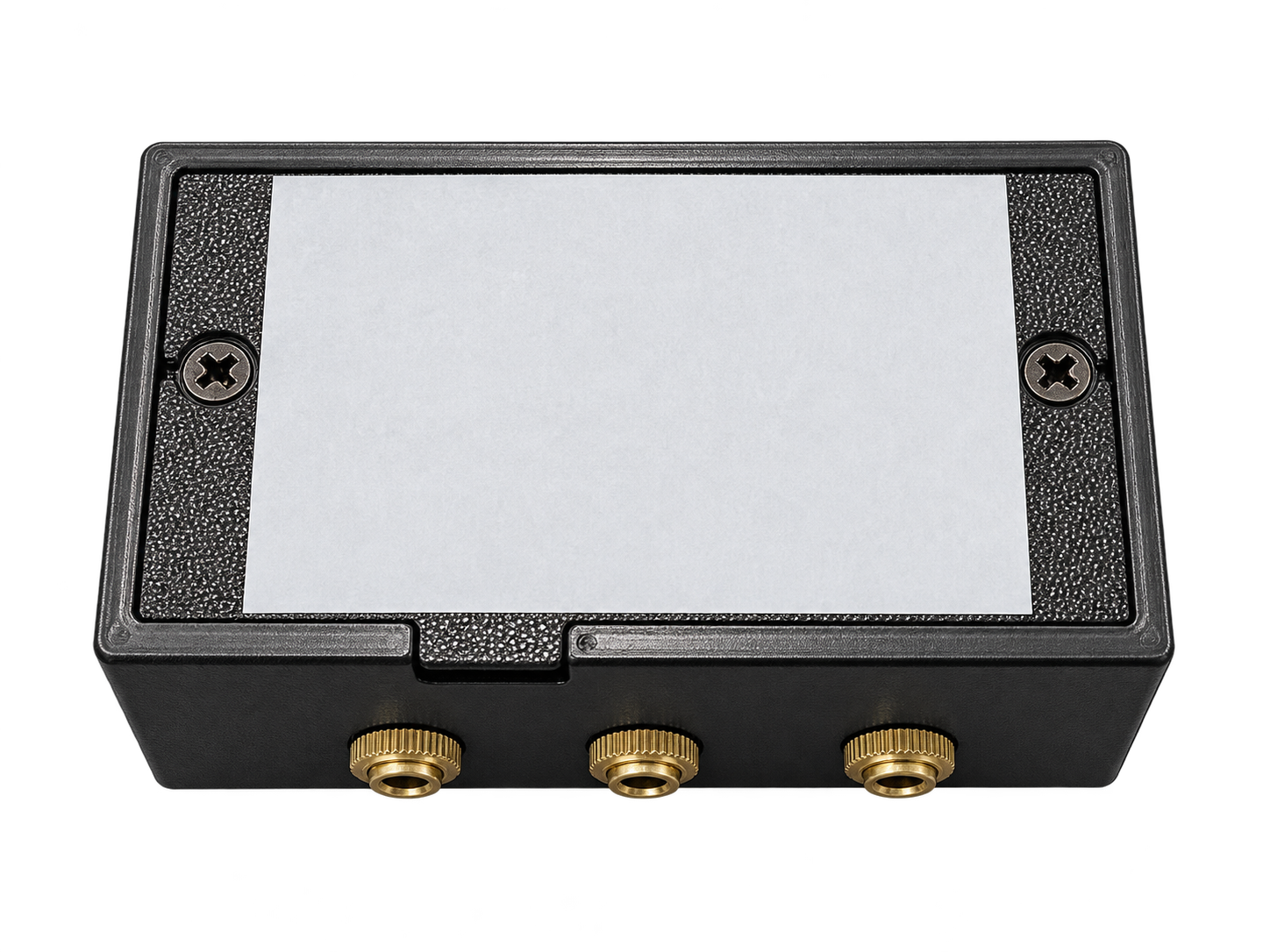
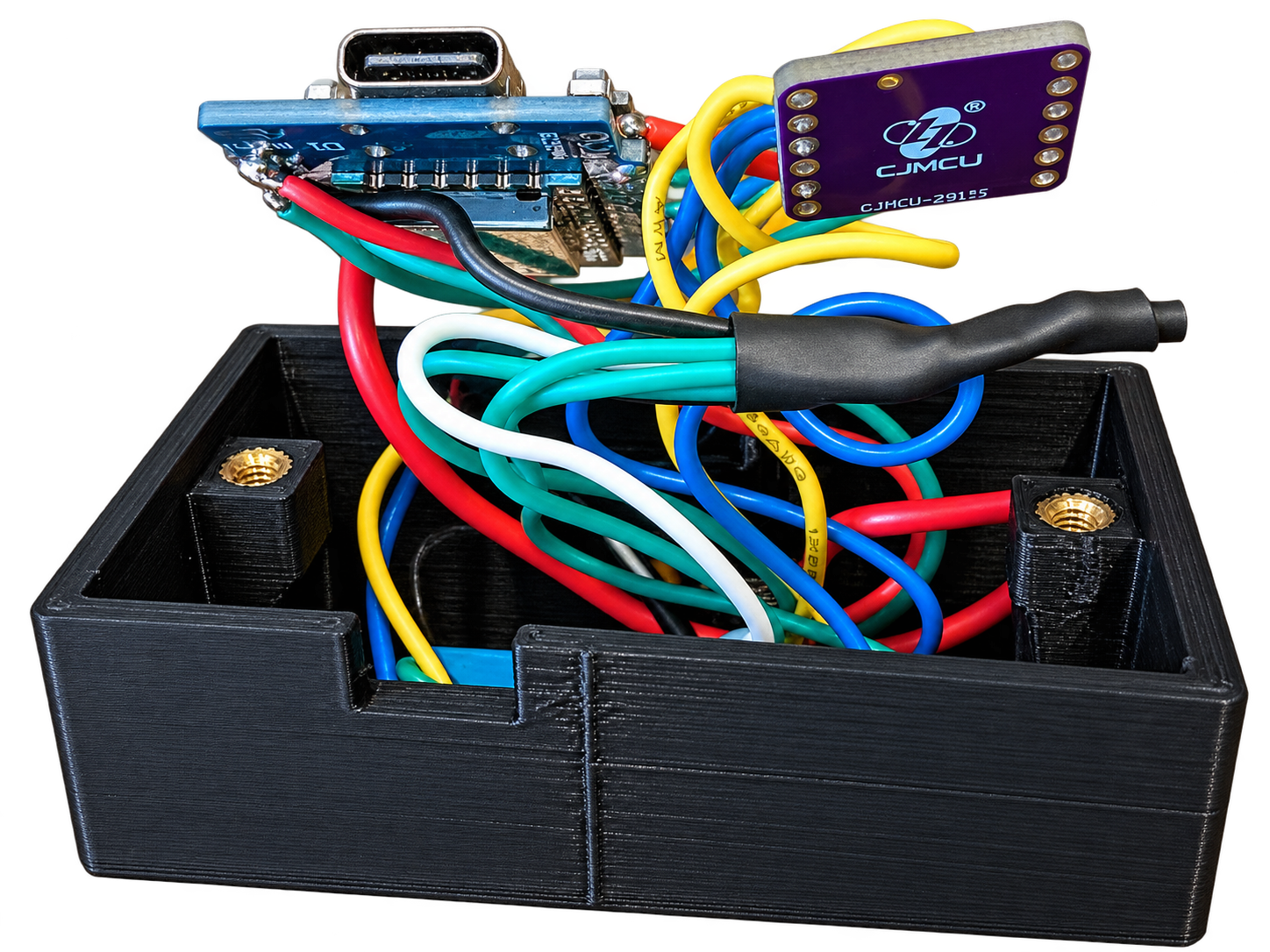
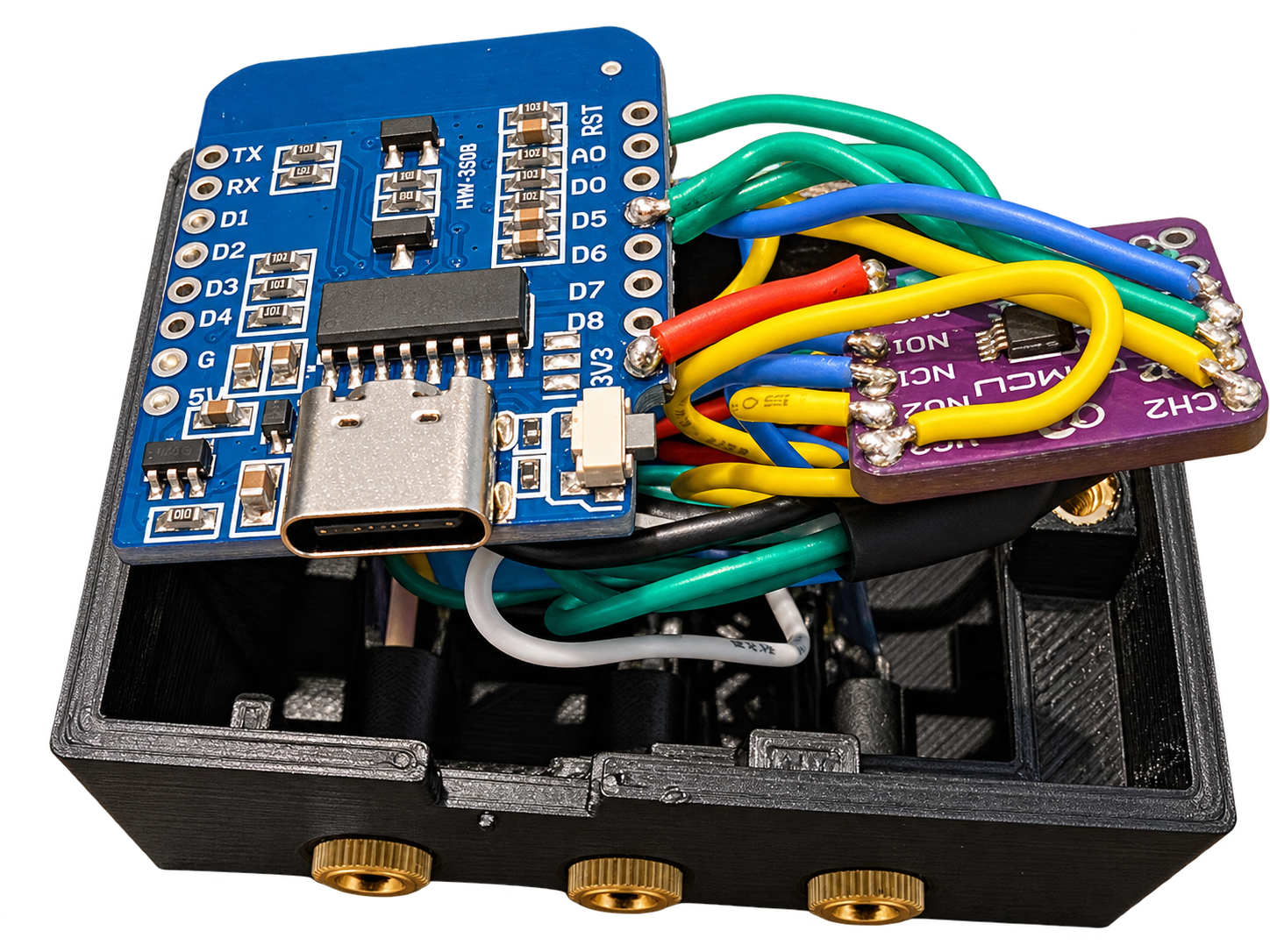
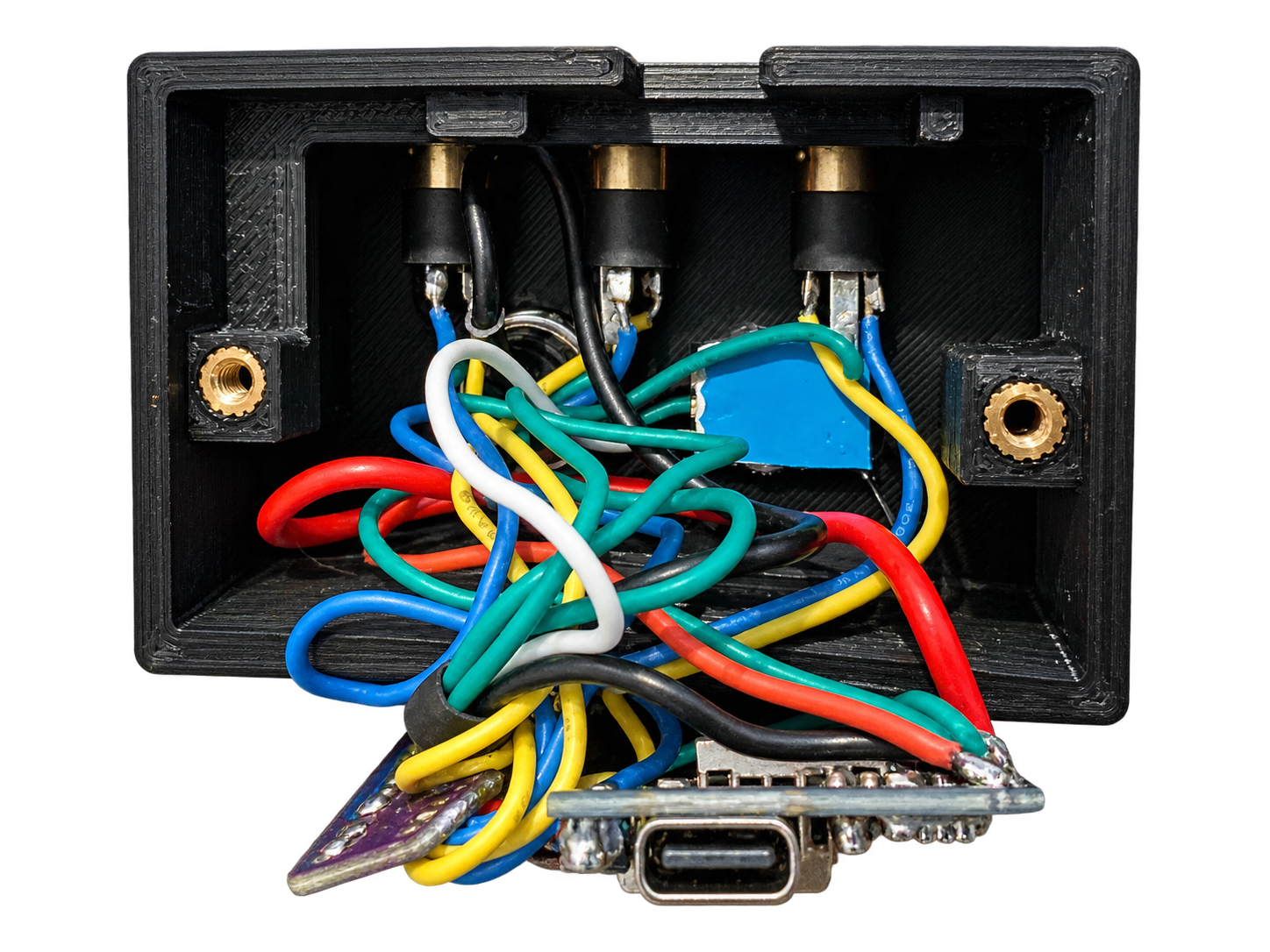
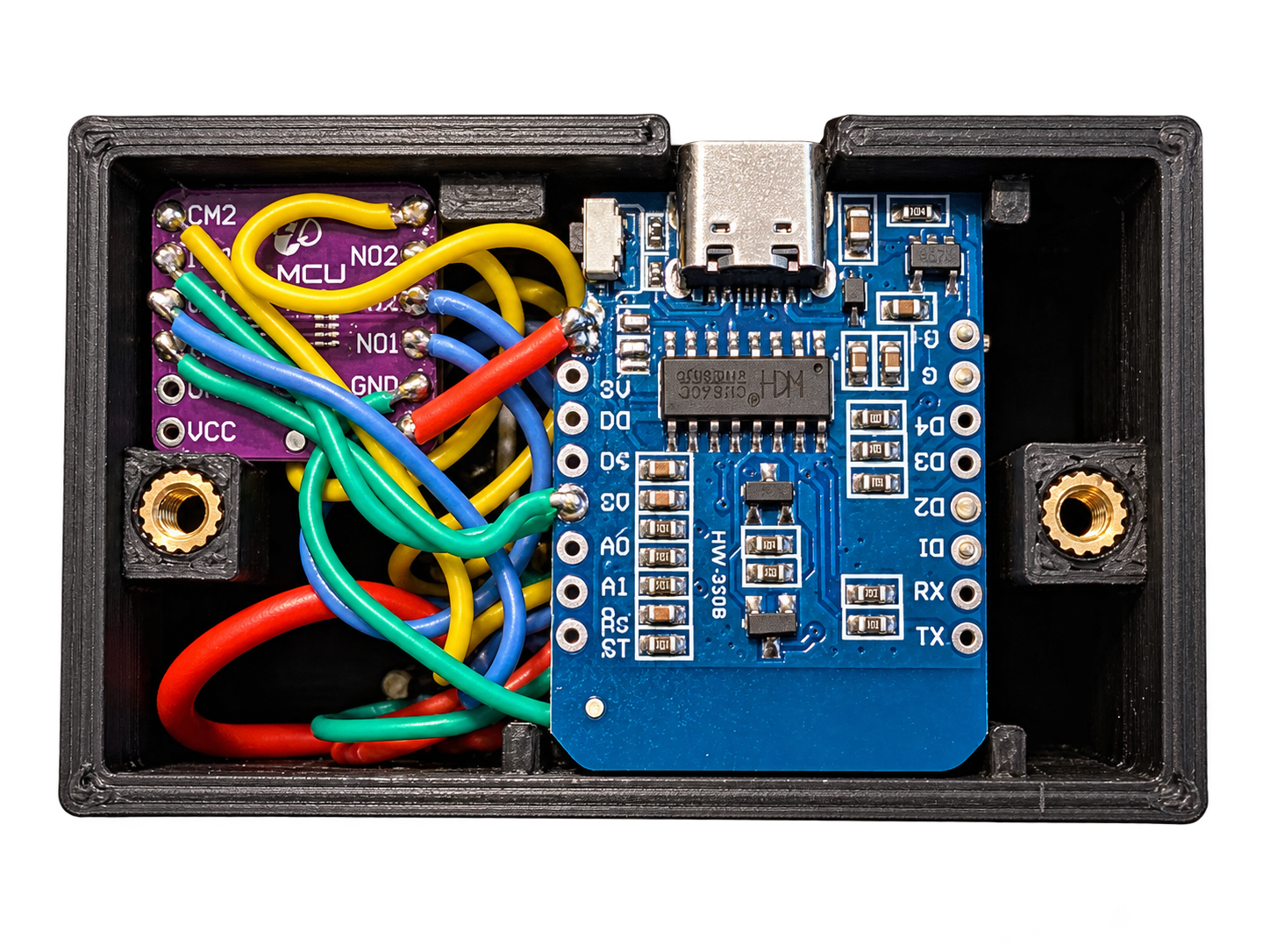
Audio switcher pictures
The Code
View ESPHome configuration
esphome:
  name: audio-switch
  friendly_name: Audio Switch
  on_boot:
    priority: -10
    then:
      - delay: 1s
      - script.execute: apply_source
esp8266:
  board: d1_mini

logger:

api:
  encryption:
    key: !secret audio_switch__encryption_key

ota:
  platform: esphome

wifi:
  ssid: !secret wifi_ssid
  password: !secret wifi_password
  ap:
    ssid: Audio Switch Fallback Hotspot
    password: password
  output_power: 8.5dB

captive_portal:

globals:
  - id: current_source
    type: int
    restore_value: yes
    initial_value: '0'
    # 0 = PC, 1 = TV

output:
  - platform: gpio
    pin: D5
    id: audio_switch_pin

light:
  - platform: neopixelbus
    variant: ws2812
    pin: D2
    num_leds: 1
    type: GRB
    name: "Audio Switch LED"
    id: status_led
    internal: true

select:
  - platform: template
    name: "Audio Source"
    id: audio_source
    optimistic: true
    restore_value: true
    options:
      - PC
      - TV
    set_action:
      - lambda: |-
          if (x == "PC") id(current_source) = 0;
          else if (x == "TV") id(current_source) = 1;
      - script.execute: apply_source

binary_sensor:
  - platform: gpio
    pin:
      number: D1
      mode: INPUT_PULLUP
      inverted: true
    name: "Audio Switch Button"
    internal: true
    on_press:
      - lambda: |-
          id(current_source) = (id(current_source) + 1) % 2;
          if (id(current_source) == 0) id(audio_source).publish_state("PC");
          if (id(current_source) == 1) id(audio_source).publish_state("TV");
      - script.execute: apply_source

script:
  - id: apply_source
    mode: restart
    then:
      - lambda: |-
          if (id(current_source) == 0) {
            // PC
            id(audio_switch_pin).turn_off();
          } else {
            // TV
            id(audio_switch_pin).turn_on();
          }
      - if:
          condition:
            lambda: 'return id(current_source) == 0;'
          then:
            - light.turn_on:
                id: status_led
                red: 0%
                green: 80%
                blue: 0%
                brightness: 40%
      - if:
          condition:
            lambda: 'return id(current_source) == 1;'
          then:
            - light.turn_on:
                id: status_led
                red: 0%
                green: 0%
                blue: 80%
                brightness: 60%
View Home Assistant automation
alias: AudioSwitcher
description: ""
triggers:
  - device_id: [mediaplayer device id]
    domain: media_player
    entity_id: [mediaplayer entity id]
    type: playing
    trigger: device
conditions: []
actions:
  - device_id: [audio switcher device id]
    domain: select
    entity_id: [audio switcher entity id]
    type: select_option
    option: TV
mode: single
Issues
After getting everything connected and working, I was a little disappointed to hear a faint static noise coming through the speakers.
I tried a few different things to track down the cause, including adjusting Wi-Fi power settings in ESPHome and looking into whether the ESP32 itself might be introducing interference. After some testing, I found that the noise was actually coming from the monitor audio output rather than the switcher.
The fix ended up being a ground loop noise isolator on the monitor input.
I was hesitant to add another component because I wanted to keep the setup as simple as possible, but the isolator completely removed the static I was hearing. In the end, adding one small extra part was a much better tradeoff than living with constant background noise.
Future Improvements
Remove the group loop noise isolator: It would be nice to actually build this into the audio switcher itself if possible. I will have to do some research on this and determine if possible.
Automatic switching by detecting input: Instead of relying on a Home Assistant automation, I would like to build this into the switcher. I t should be capable do detecting which input is currently sending audio and automatically switch to the appropriate source. Some logic around what happens if both sources are sending audio would have to be handled.
Parts
Some links below are affiliate links. If you purchase through them, I may earn a small commission at no additional cost to you.